Discord upload limits at a glance
| Account | Max file size | Good for |
|---|---|---|
| Free | 20 MB | Short clips, around 15–60 seconds depending on quality |
| Nitro Basic | 50 MB | A couple of minutes of good-quality video |
| Nitro | 500 MB | Long gameplay and full recordings |
The limit applies to each file you upload. It’s about the file’s size, not how long the video is, so a short 4K clip can be over the limit while a long, low-resolution clip fits easily.
How the Discord limit has changed
Discord’s free limit has moved several times, which is why you’ll find different numbers online:
- 8 MB was the free limit for years.
- 25 MB arrived in 2023.
- 10 MB replaced it in late 2024.
- 20 MB is the current free limit.
If a guide, bot or tutorial mentions 8 MB or 25 MB, it’s out of date. FitVideo’s Discord preset always uses the current figure.
What happens when your file is too big
Discord refuses the upload and suggests Nitro. Nothing is sent, and the message isn’t posted. You have three options:
- Compress the video to fit the limit. This is free and usually takes less than a minute.
- Trim it to the moment that matters. Shorter clips also look better at the same size.
- Share a link from a cloud service or YouTube instead of uploading the file.
How to compress a video for Discord
A screen recording or game capture is usually recorded at a very high bitrate, often 50–100 MB per minute. Discord doesn’t need that much data to show a clip well. Compressing re-encodes the video at exactly the bitrate that fits the limit.
- Open the Discord compressor and leave Discord 20 MB selected (or choose Nitro Basic).
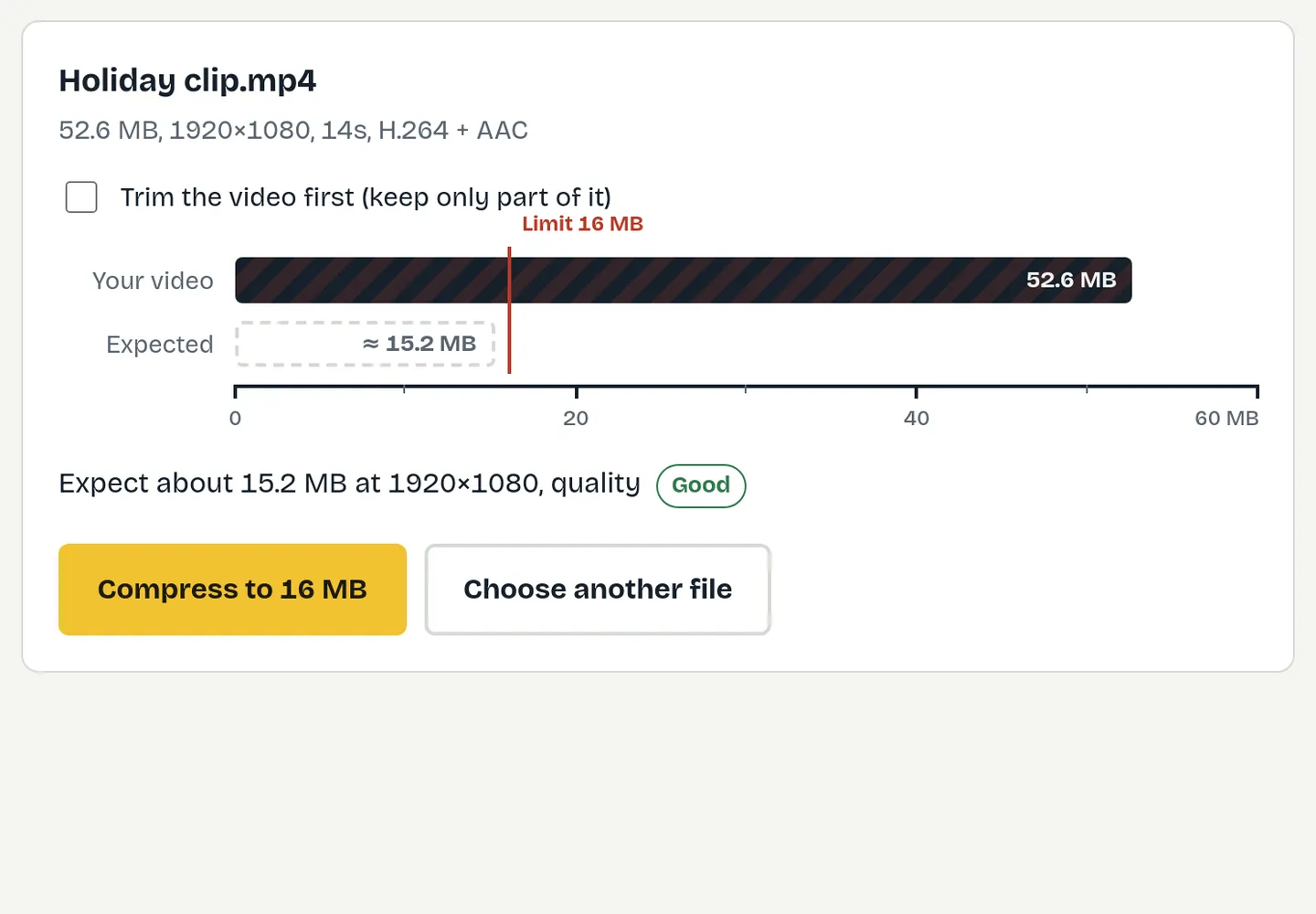
- Drop your clip in. The gauge shows how far over the limit it is, and the estimate shows the resolution and quality you’ll get.
- Press Compress to 20 MB, save the file, and upload it to Discord.
The video is processed on your own computer, so nothing is uploaded anywhere except to Discord itself.
How long a clip fits in 20 MB?
| Clip length | Resolution that fits 20 MB | Expected quality |
|---|---|---|
| 15 seconds | 1080p | Excellent |
| 30 seconds | 1080p | Good |
| 1 minute | 720p | Good |
| 2 minutes | 480p | OK |
| 5 minutes | 360p | Low: trim it instead |
Fast-moving games need more data than slow footage, so treat these as a guide. For the sharpest result, keep highlights under 30 seconds.
Tips for better-looking Discord clips
- Keep it short. Halving the length roughly doubles the quality at the same size.
- Remove the sound if it doesn’t matter. That gives the picture a little more room.
- Let it drop to 720p for longer clips. Clean 720p looks better than blocky 1080p.
- Keep 60 fps. FitVideo keeps your original frame rate, so smooth gameplay stays smooth.
Other ways around the limit
- Upload to YouTube as unlisted and paste the link. Discord shows a playable preview, and there’s no size limit on your side.
- Use a cloud link (Google Drive, OneDrive, Dropbox). Good for files people need to download in full quality, such as recordings for editing.
- Ask a server admin. Server boosts and Nitro change what you can upload; the uploader’s account is what counts.
Compressing on your phone
On Android, open fitvideo.app in Chrome, choose the Discord preset, pick the clip from your gallery and save the result, then share it to Discord as usual. On iPhone, support depends on your iOS and Safari version; if the page says your browser can’t encode video, use a computer.
Which formats preview in Discord?
Discord plays MP4 files with H.264 video most reliably on every device. MOV and WebM files sometimes upload but don’t preview, or only preview on some devices. Compressing with FitVideo always produces H.264 MP4, so the clip plays inline for everyone in the channel.
Free toolTry it now: Compress for Discord Fit the 20 MB free limitQuestions
What is the Discord file size limit without Nitro?
20 MB per file for free accounts.
What is the Nitro file size limit?
Nitro Basic allows 50 MB per file and Nitro allows 500 MB.
Was the Discord limit 8 MB?
Yes, for many years. It later became 25 MB, then 10 MB, and is now 20 MB.
Can I upload a video bigger than 20 MB without Nitro?
Not as a file. Compress it to under 20 MB, trim it, or share a link instead.
Does compressing lower the frame rate?
Not with FitVideo. The frame rate stays as recorded; only the bitrate and sometimes the resolution change.